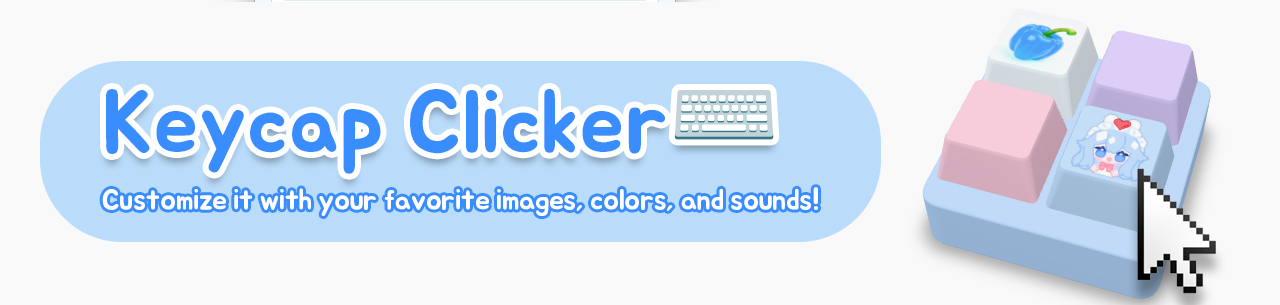
Keycap Clicker App ⌨️ | Customize it with your favorite images, colors, and sounds!
A downloadable tool for Windows
🩵 Desktop Keycap Clicker
I made a little keycap toy you can click right on your desktop! Add your favorite artwork, choose your colors and sounds, and enjoy a few clicks between tasks. 💕
Windows 10/11 (64-bit) only · No app installation required
✧ Features
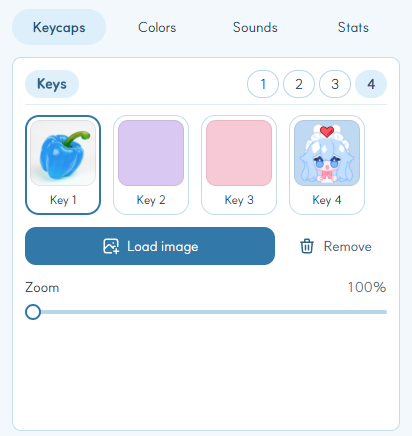
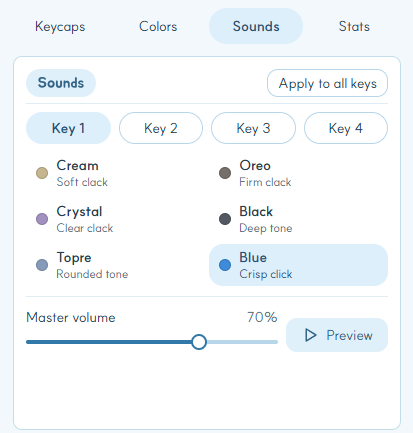
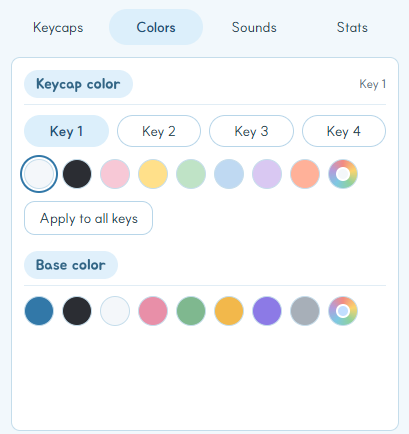
- Make it yours: Customize each keycap’s image, color, and sound. Change the base color, too!
- Choose your layout: Display 1–4 keycaps. Two or three sit in a row; four form a 2×2 grid.
- Find your favorite click: Pick from 6 built-in sounds and mix them across your keys.
- Fit your desktop: Resize, flip horizontally, and drag the base to move. Track daily and total clicks, with an optional daily counter below the keys.
✧ Getting started
Extract the entire ZIP file, then run keycap-clicker.exe. Right-click a keycap to open settings and start customizing!
Supports PNG, JPG, WEBP, and GIF, up to 20 MB per image. GIFs use the first frame only—animation is not supported.
To quit completely, use the keycap or tray icon’s right-click menu. See README.txt for detailed instructions. Microsoft Edge WebView2 Runtime may be required.
✧ Feedback
Found a bug or have a feature request? Leave a comment on this page! When reporting an issue, please include the version you’re using and what happened.
made by Papurika · X: @papurika_blue
v1.0.0 · 2026.09.28
Purchase
In order to download this tool you must purchase it at or above the minimum price of $1 USD. You will get access to the following files:
Leave a comment
Log in with itch.io to leave a comment.